jom33 App download: install the Android APK in minutes

Build 3.0.1 Updated 10 Nov 2026

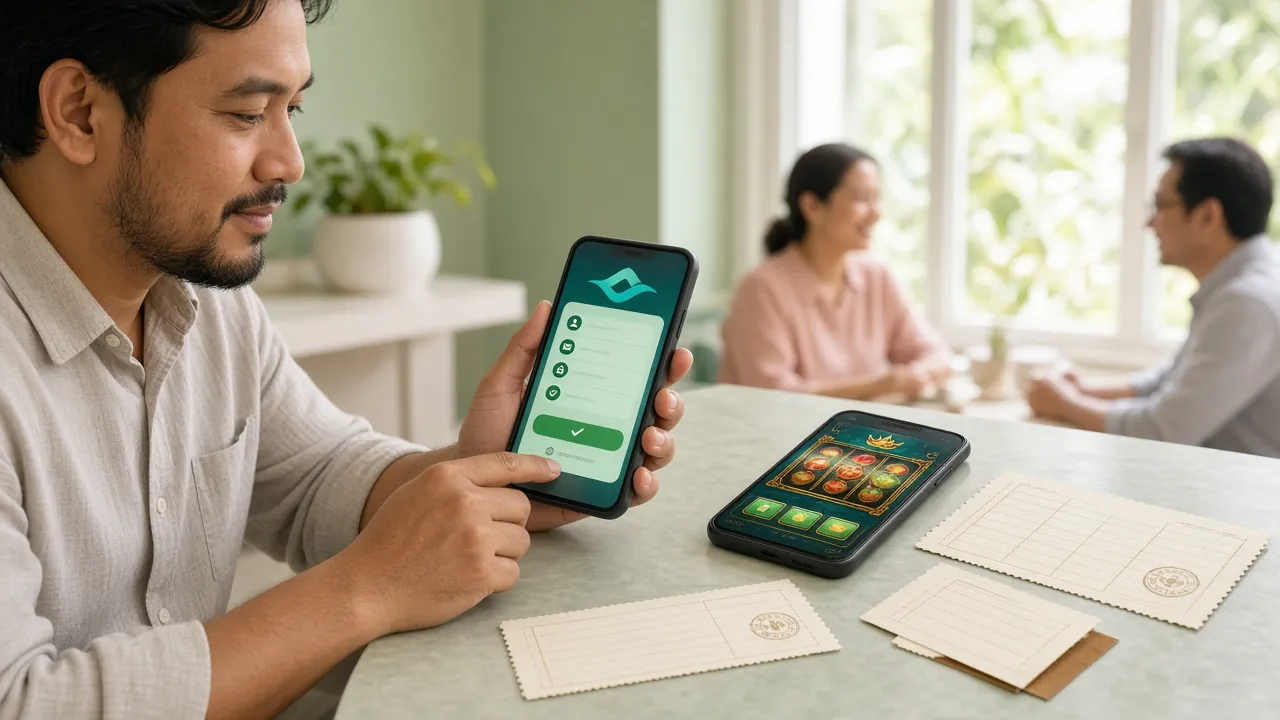
The jom33 app puts all 5,400 games, the live tables and the cashier into one 36 MB Android file. Download the APK, allow installs from your browser once, and you are in the lobby in a few minutes. It is free, and you do not need a Play Store account to install it.

Installing on a second phone? Scan the QR code in the download panel below and it fetches the same jom33.apk file.

18+ · Play Responsibly

Version
3.0.1
File size
36 MB
Android
10.0+
Price
Free
Downloads from
jom33.vip

Download the jom33 app file

Create an account

jom33.apk

Version 3.0.1 · 36 MB · Free

Download APK

Tap once and your browser saves the file to Downloads. No charge, no subscription, and no store login needed. Keep the file if you want to install on a second Android phone.

Version3.0.1
File namejom33.apk
File size36 MB
Android minimum10.0
Last update10 November 2026
PriceFree
LanguagesEnglish / Bahasa Melayu
Install typeSideload (APK, no Play Store)

Before you install, open your file manager and check the size: 36 MB means the download finished properly. A file showing 0 KB, or a name ending in .crdownload, is incomplete. Delete it and start again from this page rather than from a forum or file-sharing link.

How jom33 feels on a 6-inch screen

  • Lobby first, cashier one tap awayYour balance, bonus progress and the last game you opened sit on the home screen, so a reload between matches takes seconds instead of a fresh browser session.
  • Controls sized for a thumbSpin buttons, bet slips and live dealer panels sit in the lower half of the screen, reachable without shifting your grip or pinching to zoom.
  • Quieter on mobile dataDrawings and icons are cached after the first load, so a long session on 4G does not redownload the whole lobby every time you switch games.
  • A login that stays putA 6-digit PIN, or fingerprint on phones that support it, keeps you signed in on your own device without typing a password on a bus.

What changes when you play on the jom33 app

Same account, same balance, same bonus wallet. The differences are in how quickly you reach them.

Cashier without a browser

Deposit with Touch ’n Go eWallet, DuitNow, FPX Online Banking or bank transfer. Most deposits are credited in about 3 minutes, and withdrawals usually clear in around 5 minutes. Minimum deposit is RM35; minimum withdrawal is RM120.

5,400 games in one lobby

Slots, fishing, crash and lottery titles from PG Soft, JILI, CQ9, Sexy Gaming and Spribe share one search bar. Filter by type, then tap a title to launch it without leaving the app or logging in again.

Live tables and football

Live dealer tables and sports markets open in the same shell, so you can move from a blackjack hand to a football market in two taps. The full floor is listed in the jom33 casino guide.

Bonus you can actually track

Your 140% first deposit bonus up to RM625, the 24% reload and the 1.8% daily cashback each show a progress bar, along with how much of the 12× wagering requirement is left to clear.

Lighter on your data plan

Artwork is cached, so scrolling the lobby does not reload covers each visit. On mobile data, switch off table animations in settings; live dealer video is the heaviest part of any session, so use Wi-Fi for long ones.

Support inside the screen

24/7 Live Chat opens from the menu, and the in-app help pages cover deposit, withdrawal and login questions. Support answers in English and Bahasa Melayu, and never asks for your password or TAC.

Slots, live tables and crash in one hand

Every game in the app runs in the same account wallet, so you can move between a fishing round and a live table without moving money around.

Players on a phone checking the jom33 app lobby between games on a neon-lit gaming floor
  • Slots & fishing
  • Live casino
  • Crash & instant
  • Football

Bet limits differ by title: European Blackjack starts at RM0.10, Go Rush at RM0.50, and Bingo Adventure tops out at RM2,500 per round. Game rules and payouts sit behind the info icon on each tile, so check the RTP before you raise a stake. More titles are listed on the casino page.

Installing the jom33 APK on Android

Android blocks files from outside the Play Store by default, so the first install needs one setting changed. Do it once and later updates take seconds.

  1. Allow installs from your browser

    Open Settings, then Apps, then Special app access, then Install unknown apps. Pick the browser you download with, such as Chrome, and switch Allow from this source on. You can switch it off again once jom33 is on the phone.

  2. Download jom33.apk

    Come back to this page and tap Download APK. Chrome shows a progress bar at the top of the screen; leave the tab alone until it turns into a notification. The finished file should read 36 MB in your Downloads folder.

  3. Open the file and confirm

    Tap the notification, or open Files, then Downloads, then jom33.apk. Press Install. If Play Protect shows a warning, choose Install anyway: it appears because the app did not come from the Play Store, not because the file is unsafe.

  4. Wait for the install to finish

    Most phones finish in under a minute. The jom33 icon appears on your home screen and in the app drawer. If the screen says App not installed, free up storage space and run the file once more before trying anything else.

  5. Log in and set up the cashier

    Open the app and sign in with your jom33 login details, or register if you are new. Then open the cashier and pick Touch ’n Go eWallet, DuitNow, FPX Online Banking or bank transfer. The first deposit starts at RM35.

On an iPhone: add jom33 to the home screen

No APK on iOS

Apple does not allow APK files, and jom33 does not ask you to install a profile or a third-party store. Safari can save the mobile site as an icon that opens full screen without the address bar, which behaves close enough to an app for everyday play.

  1. Open jom33.vip in Safari

    Use Safari rather than Chrome, because other browsers on iOS do not offer the same shortcut. Log in first if you want the icon to open straight onto your account page instead of the public lobby.

  2. Tap Share, then Add to Home Screen

    The Share button sits in the middle of the bottom toolbar. Scroll the action list until you reach Add to Home Screen, rename the shortcut to jom33, then tap Add in the top corner of the screen.

  3. Launch from the icon

    The icon opens the mobile lobby full screen. Games, cashier and live chat work exactly as they do in Safari, and the shortcut takes up no app storage. Delete it any time by holding the icon and choosing Remove Bookmark.

What the jom33 app can and cannot access

The permission list is short because the app is a thin shell around the game lobby. Here is what each request is for.

Files and media

Used for cached game artwork and for writing the update file, nothing else. The app cannot browse your photos, chat history or documents, and it never asks for those permissions. You can clear the cache from your phone settings whenever you want the space back.

Network access

Keeps live dealer streams, sports odds and cashier requests moving. Live tables use far more data than slots because the video runs continuously, so a long session is cheaper on Wi-Fi than on a mobile plan.

Install unknown apps

This is an Android setting rather than an app permission. It lets your browser open the APK in the first place. Switch it back off after installing; the jom33 app keeps working, and later updates only need it on again for a minute.

What jom33 never asks for

No SMS, contacts, call logs or precise location. Support will never ask for your password, your TAC or a remote-access app to fix a login. Treat any such request as a scam and report it through 24/7 Live Chat inside the app.

App or browser: which suits your session

Both routes reach the same account and the same 5,400 games. The choice mostly comes down to how often you play and how much data you have.

What you compare jom33 app Mobile browser
Games available5,400, full library5,400, same library
First visitOne 36 MB downloadLoads fresh each session
Repeat openingIcon tap, cached artworkType the address or use a bookmark
Live dealer tablesFull screen, no toolbarsWorks, may stutter on older phones
Remembered login6-digit PIN or fingerprintBrowser password save, if enabled
CashierTouch ’n Go, DuitNow, FPX, transferSame four options
Staying currentInstall a new APK when the version changesAlways the newest build
Storage used36 MB plus a small cacheCache only
Best forRegular play on your own phoneA quick session on another device

When the install stalls

Almost every failed install falls into one of five cases. Match your message to the table, then try the fix in the right-hand column.

What you see Why it happens What to do
“App not installed” An older jom33 build is still on the phone, or storage is full. Uninstall the previous version, clear around 200 MB of space, then run jom33.apk again from your Downloads folder.
“Install unknown apps” is greyed out A work profile or device management policy blocks sideloading. Company phones often lock this setting. Use a personal device, or ask whoever manages the phone before changing it.
Download stops at 0 KB Weak signal, or the browser dropped the tab mid-transfer. Move to Wi-Fi, close extra tabs, and download again from this page. Confirm the finished file shows 36 MB.
App opens then closes Android version below 10.0, or a part-written file from an interrupted download. Check Settings, then About phone, for your Android version. If it is older than 10.0, use the mobile site. Otherwise delete the file and reinstall.
Games stay on a black screen Cache left over from an interrupted update, or a network that blocks game servers. Open Settings, then Apps, then jom33, then Storage, and clear the cache. Reopen the app. If it repeats on office Wi-Fi, try mobile data.

Questions players ask before installing

Short answers to the things that hold people up: file safety, iOS, updates and logins that will not go through.

Is the jom33 APK safe to install?
Yes, if you take it from this page. The file is 36 MB, version 3.0.1, and it only downloads from jom33.vip. Your phone shows a warning because the app is not sold on the Play Store, not because anything is wrong with it. Avoid APK copies from forums, Telegram groups and file-sharing sites.
Why does Android warn me about unknown sources?
Android treats every app from outside the Play Store as unverified, so it asks you to confirm before installing. The toggle applies only to the browser you download with, not to every app on the phone. Once jom33 is installed you can turn the setting off again in the same menu.
Can I install jom33 on an iPhone or iPad?
There is no iOS APK, and jom33 will never ask you to install a configuration profile or a third-party app store. Open the site in Safari, tap Share, then Add to Home Screen. The shortcut opens full screen and behaves like an app, but it runs in the browser.
How do I update the app when a new version is out?
Download the newest APK from this page and install it over the old build. Your login, balance and bonus progress stay as they are. Do not uninstall first unless the installer specifically asks you to. The download panel on this page always lists the current version, which is 3.0.1.
Will the app eat my mobile data?
The first session carries the interface and most game artwork, which is the heaviest part. After that, images come from the cache. Slots are light; live dealer tables stream video the whole time you sit at one. On a limited plan, play live tables on Wi-Fi and watch your data counter.
Can I use the same account on the app and the website?
One jom33 account works everywhere: app, mobile browser and desktop. Balance, bonus progress and withdrawal limits follow the account rather than the device. Signing in on a new phone can trigger a verification check, so keep your registered number nearby the first time.
The app will not accept my jom33 login. What now?
Check that you are using the same number or username as on the website, and that caps lock is off. If the password was changed recently, reset it from the jom33 login page in a browser, then sign in again in the app. Live chat can confirm whether an account is locked.

Next step after the install

Open the jom33 app, sign in, and run the cashier once so your first withdrawal is clear of holds later. New players can register from the app in a couple of minutes and start with the 140% first deposit offer.